

Overview
The SIBS PrestaShop plugin enables secure payment acceptance directly within the PrestaShop checkout experience.
It integrates with the PrestaShop order lifecycle and provides built-in support for SIBS SPG payment methods and notifications.
Benefits
- Native PrestaShop checkout experience
- Automatic order status synchronization
- Support for asynchronous payments
- No direct API integration required
Before You Start
Ensure you have the following credentials from SIBS onboarding:
- Terminal ID : the terminal ID assigned to the merchant, by the SIBS OnBoarding team
- Client ID : merchant application identifier assigned by the SIBS OnBoarding team
- Authentication token : Bearer Token obtained from SIBS Backoffice
- Environment (Sandbox or Production)
Installation
Step 1 – Install the plugin
You will receive the SIBS PrestaShop plugin package during onboarding.
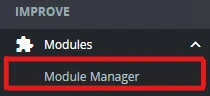
Login at your Prestashop admin area (https://yourwebsite/myadmin/) at the sidebar menu. First go to Module Manager, there click Upload a module, and finally upload the .zip file provided at the onboarding process.

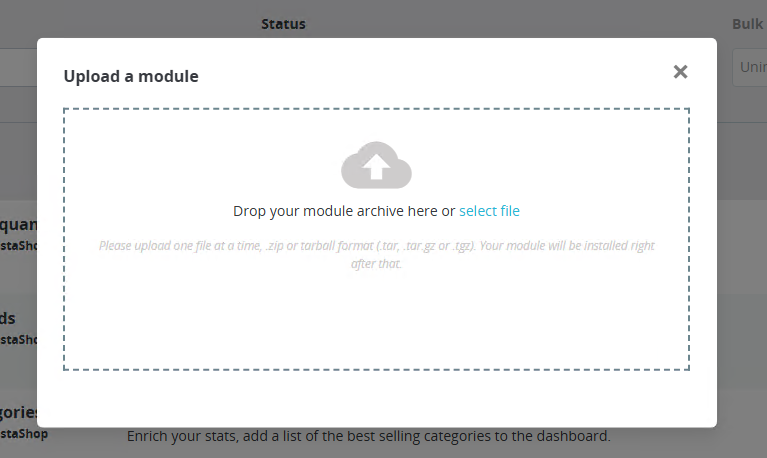
After the upload is complete, install and enable the module.
Step 2 – Access plugin settings
Navigate once again to Module Manager:
After scrolling to the payment modules section, you can find SIBS plugin. Press Configure to access the configuration page.

STEP 3 – OPEN GENERAL CONFIGURATION
Inside the SIBS Gateway configuration page:
- Enable the plugin
- Review the general/global configuration options
STEP 4 – ENTER SPG CREDENTIALS
All plugins require authentication parameters provided during onboarding.
Required fields:
- Terminal ID – Identifies the merchant terminal within SPG
- Client ID – Used for API authentication and validation
- Authentication Token – Bearer token used for secure communication with SPG services
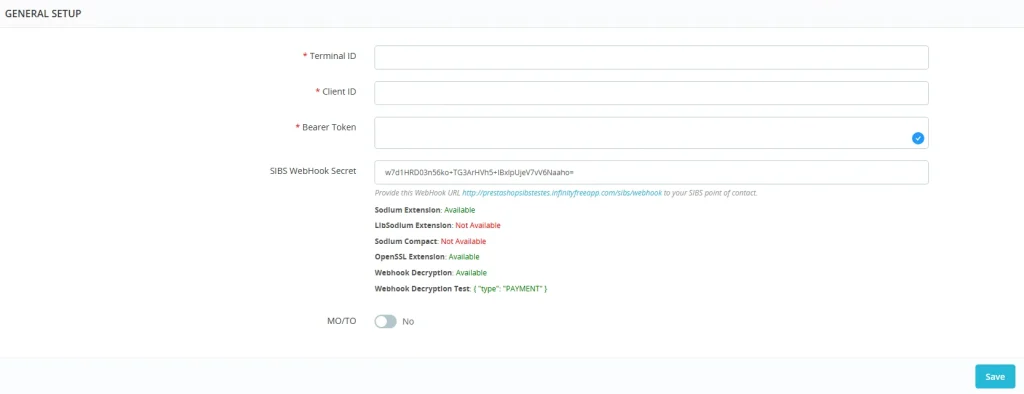
STEP 5 – SAVE CHANGES
Save the configuration before enabling payment methods.
STEP 7 – CUSTOMIZE YOUR PAYMENT OPTIONS
The PrestaShop plugin supports a range of SPG payment methods, including:
- MB WAY
- MULTIBANCO References
- Cards (Visa, Mastercard, etc.)
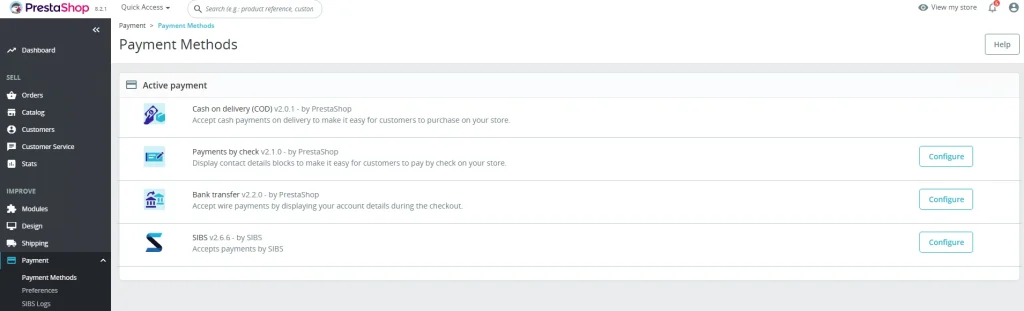
To configure find the Payment methods section:
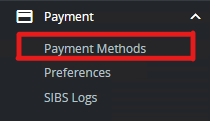
Enable the desired methods and adjust their settings:
Notes:
- Payment method availability depends on your SPG contract and merchant setup
- Some screens and configuration labels may vary depending on PrestaShop version
- If you change credentials or environment, re-test a full payment flow before going live